
A PRACTICAL WAY TO GET STARTED
A better field workflow.
A manageable change.
Start with a few real jobs and the people who handle them. Prove the capture-to-review handoff, then bring the rest of your company into HailSeek.
14-day trial · Card required · 2-seat minimum
START WITH A FOCUSED PILOT
Give the new process
a real job to do.
Choose a small set of jobs, a field rep and an office reviewer. Keep your existing process running while you establish how the new workflow fits.
Set up the company
The owner creates the workspace, completes company billing and invites the team. Assign roles that match each person’s work.
Pick the handoff you want to improve
Start with one useful outcome: better elevation photos, fewer missing inspection details, faster office review or a more organized report.
Agree where the job lives
Decide which system manages the customer and project, how the inspection is named, and who owns the final report. For the Storm estimate handoff, confirm the linked project.
GET THE PHONES READY
Walk the first inspection
with your crew.
Open the job before going into the field, follow the camera guidance and check the sync view after capture. Make the office review part of that first practice run.
- Sign in with the company account on iPhone or Android.
- Confirm camera access and the permissions your chosen workflow needs.
- Decide whether to enable regular-camera auto-add and Wi-Fi-only uploads.
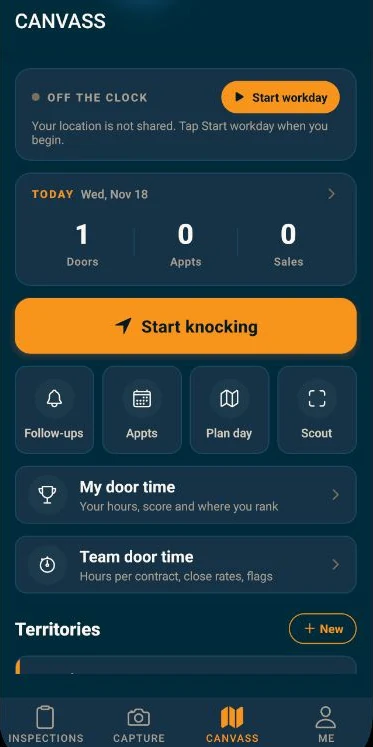
- Open the territory before relying on cached door outcomes offline.
MAKE THE OFFICE HANDOFF WORK
Finish the pilot
at the desk.
A good rollout includes the person who receives the inspection. Give them time to review a complete example before adding the next crew.
Review a complete photo set
Confirm the photos have synced, elevations are clear, damage details make sense and the team can find the needed evidence.
Create the report you will actually share
Check company branding, marked-up photos and damage details in the finished PDF. Agree who reviews and sends it.
Expand from a working process
Invite the next group, show them the successful example and settle permissions and naming conventions before the workload grows.
Do we need to stop using our current CRM on day one?
You can evaluate HailSeek on pilot jobs while keeping the current process running. Decide where each job is managed, how reports will be handed over and which integrations are available before making a broader change.
Can our existing CRM history be imported automatically?
Confirm your specific source system, export files and integration requirements before planning a migration. This site does not promise a one-click import of every CRM’s history. Keep a copy of your records and review the supported path with the team before moving work.
Read the transition guideWho can invite people to the company?
Owners can invite the supported team roles. Sales managers can invite field reps. The team area shows members and pending invitations; invitations can be resent or revoked by someone with the required access.
Can reps choose whether to use AI features?
The app includes AI choices in Me → AI. Features such as suggested damage descriptions and voice-memo transcription use the relevant consent. Review AI-generated wording before relying on it; normal photo capture and uploads do not require you to accept an AI suggestion.
BUILT FOR ROOFING COMPANIES
Start with your next real inspection.
Start a 14-day company trial. Card required. Teams has a 2-seat minimum.